Does HTTPS Guarantee a Website Is Safe? No. Here Is What the Padlock Actually Tells You and What to Check Instead

No. HTTPS does not guarantee that a website is safe. It tells you that your connection to the site is encrypted and that the site holds a certificate for the domain name you typed. It says nothing about who runs the site or what they intend to do with what you give them. Before you enter a password, a card number or personal details, check the domain spelling, how you got there and what the page is asking for.
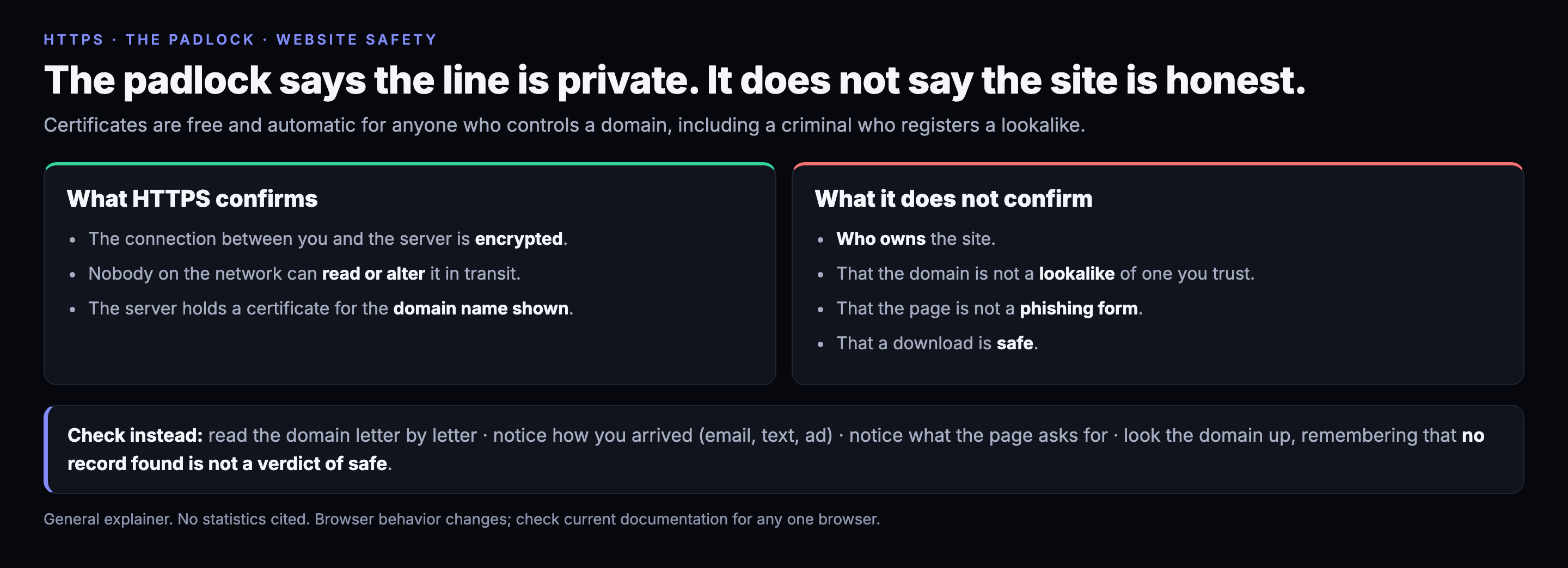
What HTTPS does
When a site uses HTTPS, two things hold. The connection between your browser and the server is encrypted, so someone on the same coffee-shop network cannot read it or change it in transit. And the server proved, to a certificate authority, that it controls the domain name in the address bar.
Both are valuable. Neither says anything about the character of whoever controls that domain.
Why it is not a safety label
Certificates for a domain are available free and automatically to anyone who controls that domain. A criminal who registers a lookalike name can get a certificate for it within minutes and show the same padlock as your bank. Phishing and malware pages routinely use HTTPS for this reason. Browsers have also been moving away from treating the padlock as a trust signal, and some now show a neutral icon instead.
A useful way to say it: HTTPS answers "is this connection private?" It does not answer "is this the site I think it is?" or "is this site honest?"
What to check instead
- Read the domain letter by letter. Lookalikes swap similar characters or add words, such as a bank name followed by a hyphen and "secure". Read what comes before the first slash, and look at the part just before the final dot and extension.
- Notice how you got there. A link in an unexpected email, text or ad deserves more suspicion than a site you typed yourself or reached from a bookmark. If the message is urgent, that is a reason to slow down.
- Notice what the page wants. A login page you did not ask for, a payment form on a site that should not need one, or a prompt to download and run a file are the moments that matter.
- Look the domain up. A threat-intelligence lookup can tell you whether a domain has been seen in attacks. One caution about how to read it: a lookup that finds nothing is not a verdict that the site is safe. It means that source has no record, and most new or small sites are in no database yet.
- Use the protections you already have. Browser warnings, a password manager that only fills credentials on the exact saved domain, and multi-factor authentication limit the damage when you are fooled.
A password manager is worth singling out. It does not know whether a page looks right. It only knows whether the domain matches the one you saved, and that is the check people most often fail by eye.
Limits
This is a general explainer, written from the way these attacks commonly work, with no statistics. Browser behavior and certificate practices change, so check current documentation for the specifics of any one browser.
Five percent of this is wrong somewhere. It always is. If you spot an error, tell us.
Was this useful? Rate this post. The widget is at the bottom of the page, and we read every response.
Every indicator in this post is in the feed. Free.
1.58M+ IOCs, STIX 2.1 / TAXII, 88% novel vs ThreatFox, exploited-CVE leads ahead of CISA. No credit card — a free API key in 30 seconds, and you can audit every claim above against the live endpoints.