Bazuka Android Malware Shows You a Screenshot of Your Own Home Screen While It Drives the Phone. Check These Three Settings Tonight. We Fed Its 33 Indicators.
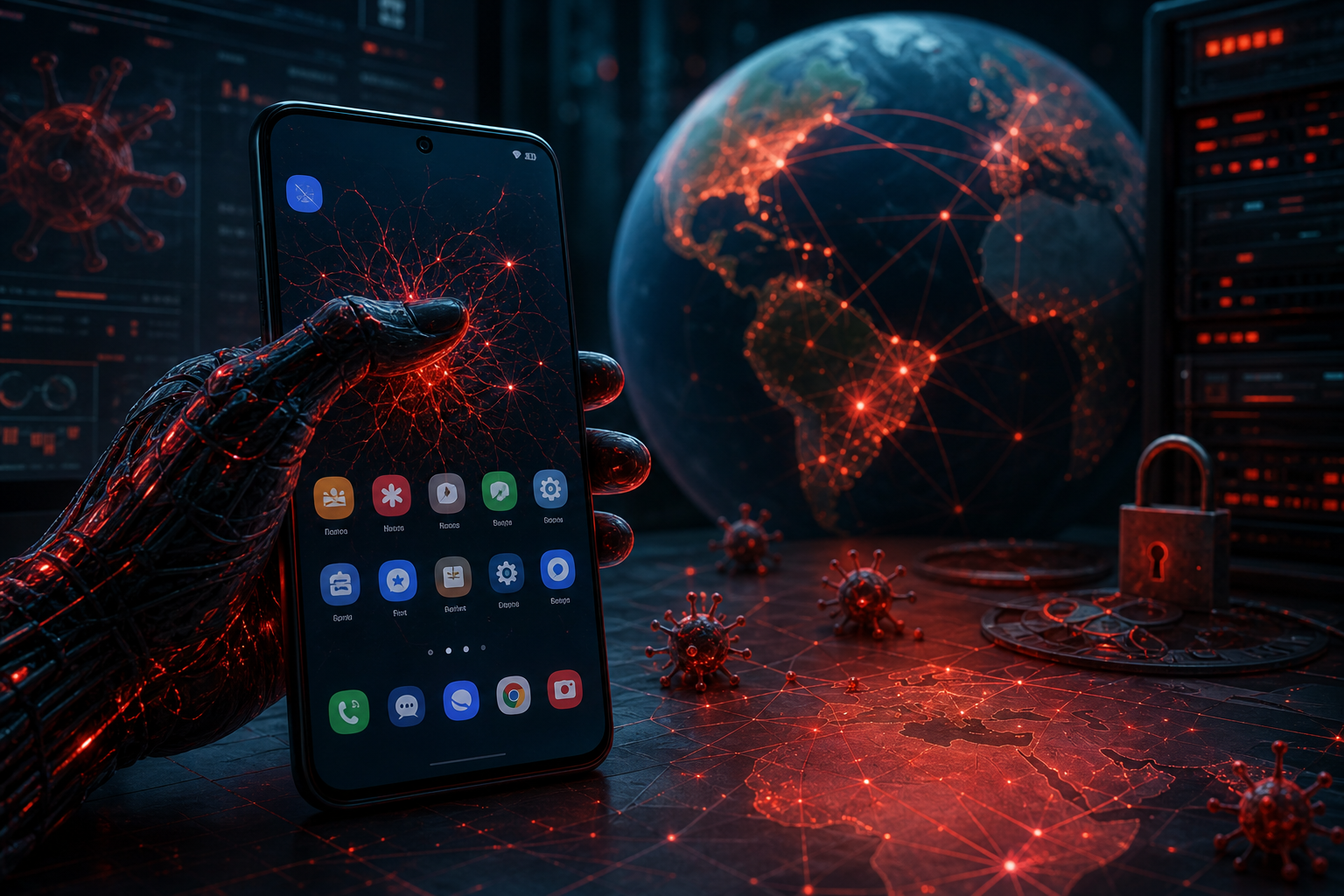
What to do first. On any Android phone you or your family use, open Settings and look at three things tonight: which apps hold Accessibility access, which apps may "display over other apps," and whether Wireless debugging is switched on. Bazuka, a new Android fraud framework that ThreatFabric documented on November 18, 2026, needs the first two and turns on the third by itself. Any app you do not recognize in those lists, especially one you installed from a link rather than the Play Store, should come off the phone today. Then confirm Google Play Protect is on, because Bazuka switches it off.
If you manage company phones, the short version is: forbid installs from unknown sources, disable developer options, allowlist Accessibility services, enforce Play Protect, and block the five domains and two IP addresses below at DNS and the firewall. Block these: register free for the DugganUSA feed (docs at docs.dugganusa.com).
For individuals: the five-minute check
Menu names differ between Samsung, Pixel, Motorola and others, so use the search box at the top of Settings if a path below does not match.
- Accessibility. Settings, then Accessibility, then "Installed apps" or "Downloaded apps" (Samsung: Installed apps). Only things you knowingly turned on should be there: a screen reader, a password manager, a launcher you chose. Bazuka uses Accessibility to grant itself the rest of its permissions and to read and tap the screen for its operator.
- Display over other apps. Settings, then Apps, then "Special app access," then "Display over other apps" (Samsung calls it "Appear on top"). This is the permission that lets an app paint a fake screen on top of a real one. Turn it off for anything that has no reason to float above other apps.
- Wireless debugging and developer options. Settings, then System, then Developer options (Samsung: Settings, Developer options, at the bottom). If you never turned developer options on and they are on now, or "Wireless debugging" is on, treat the phone as suspect. ThreatFabric found Bazuka can enable Wireless debugging and intercept the pairing PIN so it can grant itself permissions through ADB without a prompt you would see.
- Play Protect. Open the Play Store, tap your profile picture, then Play Protect, then the gear. "Scan apps with Play Protect" should be on. If it is off and you did not turn it off, something did.
- Install unknown apps. Settings, then Apps, then Special app access, then "Install unknown apps." Your browser, messaging apps and file manager should all say "Not allowed." Bazuka's dropper asks for exactly this so it can install its second stage.
Three more checks that match what this framework does:
- Call forwarding. Bazuka has a call-forwarding module and a USSD module, which is how fraudsters divert the bank's verification call. On most GSM carriers, dialing *#21# shows whether unconditional forwarding is on. If it is forwarding to a number you do not know, call your carrier from another phone.
- NFC and your bank card. One Bazuka module talks to contactless bank cards, and ThreatFabric found the framework while investigating an NFC-relay banking trojan. No bank or app has a legitimate reason to ask you to tap your physical card against the back of your phone to "verify" it. If an app asks, that is the theft.
- A frozen-looking screen. Bazuka's signature trick is to take a screenshot of your home or lock screen and show it as an overlay on command, so the phone looks idle while the operator works behind it. If your screen looks normal but ignores your taps, or the clock does not move, hold the power button and restart.
If you find something. Do not open your banking apps on that phone. Restart into safe mode (on most phones, hold the power button, then press and hold "Power off" until "Safe mode" appears) and uninstall the app from Settings, then Apps. Bazuka ships an "uninstall_shield" module meant to stop you, so if removal fails, back up your photos and do a factory reset. Then, from a different device, call your bank using the number on your card, change your banking and email passwords, and check your carrier account for forwarding.
Do not sideload. ThreatFabric says the droppers so far are pushed by "traffers," affiliates who build landing pages with adult-content and IPTV lures. The sample they studied was named "TikTok18" and posed as a premium, adult version of TikTok. Real TikTok comes from the Play Store or App Store, never from a download link.
For mobile and MDM admins: block and hunt
- Unknown sources off. In Android Enterprise, set the untrusted apps policy to disallow installs (in the Android Management API, advancedSecurityOverrides.untrustedAppsPolicy set to DISALLOW_INSTALL). This kills Bazuka's delivery path on managed devices outright.
- Developer settings off. developerSettings set to DEVELOPER_SETTINGS_DISABLED. That closes the Wireless debugging route ThreatFabric describes.
- Accessibility allowlist. Use permittedAccessibilityServices to allow only the services your fleet needs, so a new one cannot be enabled on a work profile or fully managed device.
- Play Protect enforced. googlePlayProtectVerifyApps set to VERIFY_APPS_ENFORCED, so the user (or the malware acting as the user) cannot switch it off.
- Network blocks. Block the five domains and two IP addresses below at your DNS resolver and egress firewall. ThreatFabric reports the panel and bot channels on TCP 8082, 8443, 8444 and 8445, so outbound traffic from phones to those ports on a non-corporate host deserves a look on its own.
- Hunt. In your MTD or MDM inventory, search for the package names com.tiktok.premium and com.tiktok.premium.pro, for the 26 SHA-256 hashes below, for devices reporting developer options or ADB enabled, and for any app holding both Accessibility and overlay that is not on your approved list. ThreatFabric also lists the internal class names com.support.assistant.network.DualWebSocketManager, com.support.assistant.network.WireSessionManager and com.support.assistant.network.ModuleLoader, and the broadcast action com.guidocool.cryptomanager.action.A11Y_REBIND, which are useful if your tooling inspects APK contents.
What ThreatFabric found
ThreatFabric, the Dutch mobile security company, published "Bazuka: The Fraud Framework That Can Do It All" on November 18, 2026, credited to its Mobile Threat Intelligence team. The Hacker News covered it on November 20. ThreatFabric says it found Bazuka in late October 2026 while investigating an NFC-relay banking trojan, and describes it as a full framework: a dropper, a core, and 23 downloadable modules.
The modules, by the names ThreatFabric published, cover SMS reading and sending (smsmessage), one-time code capture (twofa), call forwarding, USSD, clipboard monitoring for crypto-address swapping (clip_monitor), keylogging (input_recorder), screen control, overlays (optics, session_ui), location, camera and microphone (media), contacts, a file manager, a proxy, contactless card interaction (tapread-nfc_module), self-ADB, a security-product checker, and the uninstall shield.
The screenshot overlay is the new piece. In ThreatFabric's words, "the trojan takes a screenshot of the home screen or lock screen and can display it as an overlay on command." The victim sees their own phone at rest. The operator sees a live device.
The control panel is where the large language model comes in. ThreatFabric says it connects both to locally hosted models on a neighboring server and to large models over an API. Operators can ask it for a victim "score" (how attractive a target is) and for a strategy to click through permission prompts. The sample prompts were in Russian, and the panel mixes English and Russian. The panel also lets operators create traffer accounts and build droppers, which is why ThreatFabric reads it as malware-as-a-service.
On Google Play, ThreatFabric is careful, and so are we. The dropper builder offers a minimal-permission option, "specifically to make it easier for the resulting APK to (potentially) pass Google Play's review process." ThreatFabric says it found no evidence a Bazuka dropper has actually reached Play.
What is not known
- Who runs it. ThreatFabric names no actor or group. The Russian-language prompts are a language clue, not an attribution.
- Which countries and banks. Neither ThreatFabric nor The Hacker News names target countries, banks or apps. Any article that tells you Bazuka "targets" a specific bank is going beyond these sources.
- How many victims. No victim count is published.
- Whether Play was ever used. Possible by design, not observed.
- Whether the infrastructure is still live. ThreatFabric reported 95.181.213[.]21 offline and 170.168.61[.]117 operational at the time of its research. An offline address can be handed to someone else later, so we hold it at a lower confidence.
Indicators, and what we did with them
Block these: register free for the DugganUSA feed (docs at docs.dugganusa.com).
All of these come from ThreatFabric's report. We added 33 to our feed as source manual-batch-bazuka-android, credited to ThreatFabric: 26 SHA-256 hashes at confidence 90, five domains at 85, the operational IP at 85 and the offline IP at 80. This is ThreatFabric's research; we redistribute it, we did not find it. The package names and class names are listed for hunting but not fed: an Android app ID is not something a network blocklist or our package lane (built for npm and PyPI) can use.
C2 and panel domains (defanged): c2ws[.]brokerok[.]org, c2data[.]brokerok[.]org, c2proxy[.]brokerok[.]org, c2api[.]brokerok[.]org, gargona[.]cash.
IP addresses (defanged): 170[.]168[.]61[.]117 (operational per ThreatFabric; panel on 8082 HTTP and 8445 HTTPS, bot C2 on 8443, data channel on 8444), 95[.]181[.]213[.]21 (offline per ThreatFabric).
- 4d572669d6000304a692874c1583021dfdb4f2f113ea487e470f7e4c486e503a (dropper)
- f046b50166c8229b49839eeebcc7fd14bf3f198e4ec1bfde8a5b271e1407dec5 (dropper, original file name TikTok18-Dropper-tiktok18-premium-1793332000-daf6efe2.apk)
- 3cb8711a51331123247476eef768c435d6286a21cd8ac5479a6276349632c82b (core)
- call_forwarding: c08a5f3df1693b03540db8c6c001b5e7f98ea6121ad4aca9c6904c798f4f4635
- clip_monitor: 84849921d229c4e6c1a43af86582bff7560e938e96ad8b01b0ff13dafe559757
- contacts: ffc35c48d8a5cb1ee3e5bdc80e0df3e8509e8dd840edd0b9fb0ff5d5880834d0
- device_control: 3da80bbcf6c6e7ff117db4cdfe1422375ecf1db97b61574359f97a1da43566ae
- file_manager: 7361a1ad372367dfc11421385632586da4aaf164c41f67e0acb2ccdb7931e3c1
- input_recorder: 910911b7d1be3f67c926067e923ba86be6100366e52f0fe30484176353bf1701
- location: 38bf5b694512cf14620edc0af700c08e7570fa5a20b4c3c052c7fe8823b2ec5f
- media: b97b3ca1fdce56ae41418b287ca0e97d93ea16ec7b9182bdde459bba8b09f661
- oem_power: d0fc542db2602d3a881c825c4d58e5ae34db054496d64c9185a84dceab30a850
- optics: 5cf38406fbed48fe110bcf1e84314429e1f649a2539c00b78216a5808fb53aa0
- preflight: de97f4864e94eb9fecd018d51c36fc0a2e0d3a67e9bb83ab0e5ac29ad101f292
- proxy: b7987e06d515fa06751a014a034b680f5a2c185bf0eb1fcf76c29b8626527d53
- push: 2cc693857f47758e974c3ee928a4fe0fdba444b7efe5a284dcfc0d3b47429275
- screen_control: 4dcad3a1547c72d08ccb86dc393e14935c7f06ebe3ca63ba30e51b98ab4930e1
- self_adb: 1c29e14001edcfc548e1ae43572aa17f91ad89ce09a0e9028737077d7af97d30
- session_ui: d0ba986440b06c4b587690acd3e594cc674c82408cd4f5c59c7f6675a2b4d9c0
- smsmessage: 0785f8ca820ccfb62be61ac4bd55fd5295a771cab9e4cd91fc4eb1e3c43af3db
- system_checker: ac57a003ad4464ac357ae78e8e4eb24aae9d8442545129f82ad683efa1b2ad99
- tapread-nfc_module: 5be63e04a98988d8d15d12cdf2af8cd6b1b6b8681e511587bb1a22ebcb32583f
- toast: ac34c61cb7368ba4409311a7492bf14316e1cee1f2984955005915d6ec7336f3
- twofa: c181d5c6c098f9f4ac6b10e4b1d69a0278bb3e07f260d0013244113c8504f39a
- uninstall_shield: adf9a4689e4c178a8c8fedef5e0bdf7be6ab443264125efabfadd8e1594bd471
- ussd: 8ee9d88db8874662c7743bb0f7d06e852c372b2bdb1846a12afb71a62b8f0a7b
Package names (hunt only): com.tiktok.premium (dropper, per The Hacker News), com.tiktok.premium.pro (the stager the dropper launches, per ThreatFabric).
How we know
- We read ThreatFabric's report directly and took every indicator above from it. We read it twice and the indicator lists matched both times. We did not download any sample or connect to any of the infrastructure.
- Graph check. Our correlate lookup on the five domains and two sample hashes returned not held, with zero neighbors, before we added them. Both IP addresses were already held in our corpus, from one redistributed third-party source: TweetFeed, which collects indicators posted on X. It listed 95[.]181[.]213[.]21 as a C2 on September 13, 2026 and 170[.]168[.]61[.]117 on November 6, 2026, both posted by the account Fact_Finder03, at confidence 70 and with no malware name. That is a public community list that anyone could pull on the same dates, not a DugganUSA detection, and we did not know these addresses were Bazuka until ThreatFabric said so. Neither IP had a /24 neighbor in our graph.
- Passive corroboration. Shodan's InternetDB data, returned through our enrichment lookup, lists all five ThreatFabric domains as hostnames on 170[.]168[.]61[.]117, with ports 22, 8443 and 8445 open and a self-signed certificate. That matches ThreatFabric's port list. It is Shodan's scan, not ours.
- Edge check. We ran our edge check on both IP addresses from August 1 to November 20, 2026. Neither appeared in 700,997 edge block records, 179,114 edge canary records or 5,776 origin honeypot captures. That is zero matches, measured, and it is the expected answer for the reason below.
- What our edge cannot see. Our sensors are web sensors: the edge shield in front of websites and the honeypots behind it. Phone malware talks from the phone to its C2. It never touches a website we protect, so a zero from our edge says nothing about whether phones are infected. The way to find Bazuka is on the device and in your DNS and egress logs, which is why the steps above come first.
Sources
- ThreatFabric, "Bazuka: The Fraud Framework That Can Do It All," November 18, 2026: threatfabric.com/blogs/bazuka-the-fraud-framework-that-can-do-it-all
- The Hacker News, "Bazuka Android Malware Uses Fake Screen Overlays to Hide Credential Theft and Device Control," November 20, 2026: thehackernews.com/2026/11/bazuka-android-malware-uses-fake-screen.html
- TweetFeed listings for the two IP addresses (posts by Fact_Finder03, September 13 and November 6, 2026), via our corpus.
- Shodan InternetDB, via our enrichment lookup, November 20, 2026.
Read next: Our harvester caught android-shadowspy, one of 44 Android RATs sitting in public GitHub repos
Block these: register free for the DugganUSA feed and pull the 33 Bazuka indicators with everything else we publish. Docs at docs.dugganusa.com.
Every indicator in this post is in the feed. Free.
1.58M+ IOCs, STIX 2.1 / TAXII, 88% novel vs ThreatFox, exploited-CVE leads ahead of CISA. No credit card — a free API key in 30 seconds, and you can audit every claim above against the live endpoints.